Yarn Spinner 3.1 is out now. This release brings async dialogue runner methods, option fallthrough for graceful branching, a completely reworked typewriter system, and our first included paid add-on: full Text Animator integration.
It’s been a good few months for Yarn Spinner games too. Demonschool shipped (we helped out on that one), Letters to Arralla launched from right here in Australia (with at least two fellow Tasmanians on the team), and Unbeatable comes out December 9. Every time a game ships with Yarn Spinner in it, we get a little thrill.
What’s in 3.1
Dialogue Runner Is Now More Async
The dialogue runner’s StartDialogue and Stop methods are now async, and return a task. When you call StartDialogue, you’ll receive a task (either a System.Threading.Tasks task, a UnityEngine.Awaitable, or a UniTask) that will complete after every dialogue presenter has finished running its OnDialogueStartedAsync method. Likewise, the Stop method will finish after every dialogue presenter has finished running its OnDialogueCompleteAsync method. This is really useful for making sure that you don’t accidentally make a change to your scene in the middle of your dialogue presenters getting ready.
Dialogue Option Fallthrough
In Yarn Spinner, you can add a condition to the end of an option. If the condition evaluates to false, Yarn Spinner will mark the option as “unavailable”. It’s up to your game to decide what that means: you might want to make the option visible but unselectable, or you might want to hide the option from the player entirely. However, if every option is unavailable, the player has no option they could select. Previously, this could cause your game to soft-lock, since the player wasn’t able to proceed.
In Yarn Spinner 3.1, dialogue presenters are now allowed to tell the Dialogue Runner that no option was selected at all. When this happens, Yarn Spinner will skip the options and move on to the next part of the script:
Guard: Who goes there?

// If the player is a thief, a royal visitor, or a merchant, then
// go run the appropriate conversation for that. The player might be
// some combination of the three, so let them choose.
-> A thief! <<if $player_is_thief>>
    <<jump Guard_Thief_Conversation>>
-> A royal visitor! <<if $player_is_royal_visitor>>
    <<jump Guard_RoyalVisitor_Conversation>>
-> A merchant! <<if $player_is_merchant>>
    <<jump Guard_Merchant_Conversation>>

// But if the player is NONE of those, then none of the options would have
// been available. We'll fall through to here.

Player: I'm nobody!
<<jump Guard_Nobody_Conversation>>
You can turn off this behaviour by setting the allowOptionFallthrough property on your DialogueRunner to false.
Lines Know Where They Came From
When Yarn Spinner sends a line to your game, it wraps up the line in an object called a LocalizedLine. Previously, if your game has multiple Dialogue Runners running at the same time, it wasn’t possible to know which runner the line came from. In Yarn Spinner 3.1, LocalizedLine now has a Source property that tells you where it came from.
Options Can Now Be Hurried Up And Cancelled
Just like how lines have separate ‘hurry up’ and ’next’ cancellation tokens that act as a signal to move things along, options now have the same tokens. Previously, they only had a single cancellation token that signalled option selection was no longer necessary. This allows your game to signal that you want to hurry up the presentation of your dialogue options.
New Typewriter System
We’ve updated the way typewriters work in the built-in Line Presenter system, making it easier to customise. This is useful when you want full control over how the line appears over time, or when you want in-game events (like sound effects) to occur as the line appears.
To create a custom typewriter, create a class that implements IAsyncTypewriter. You can find an example in the source code for the LetterTypewriter class.
As part of this change, the On Character Typed event on Line Presenter has been removed. If you want to run code every time a character appears, create a new script that subclasses from ActionMarkupHandler, and add that to an object in your scene. Add that object to the Line Presenter’s “Event Handlers” list. In your ActionMarkupHandler subclass, implement the OnCharacterWillAppear method to run code as characters appear on screen.
Removed Legacy DialogueView Classes
Yarn Spinner 3.0 introduced Dialogue Presenters, a new programming model for presenting dialogue. As part of the rollout, we made the old DialogueView class act as a compatibility layer, and marked it as deprecated. Yarn Spinner 3.1 removes this deprecated code. If you have code that started life as a Yarn Spinner 2.0 project, you’ll need to migrate your legacy dialogue presentation UI code to use Dialogue Presenters by changing their parent class to DialoguePresenter and implementing the new methods for presenting lines and options.
Something Extra
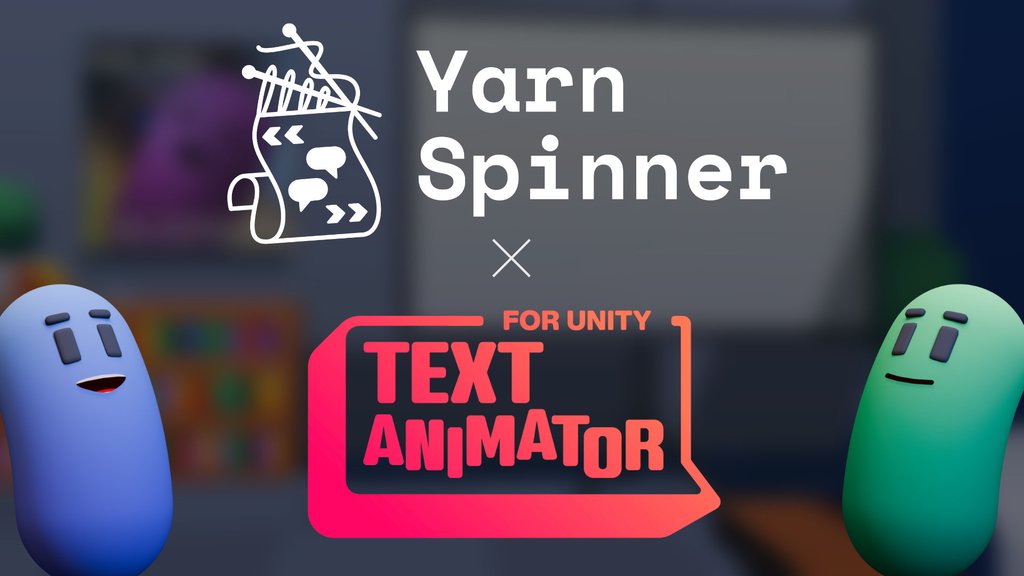
In the storefront versions of Yarn Spinner 3.1, there is now support for Febucci’s Text Animator. This makes it work with Yarn Spinner straight out of the box. No glue code, no fiddly setup. We’re super grateful to have worked closely with Federico to offer this support coinciding with his release of Text Animator 3.0.
Febucci’s Text Animator is a paid asset, so support for it will not be included in the open source version of Yarn Spinner. This represents the first time the paid and free versions of Yarn Spinner will diverge, but we think of it more like an add-on that you don’t have to add on. You can of course still integrate Text Animator into the free version of Yarn Spinner yourself, and we’re happy to help you do so.
Going forward, integrations with other paid assets will be part of the paid product. If you want to learn about our plans and approach to the product, check out our 2026 roadmap.