
Yarn Spinner for Unreal Engine
Yarn Spinner for Unreal Engine lets you write your game’s dialogue in Yarn and run it in Unreal. It’s a plugin, written in C++, with components, assets and editor tools that you add to your Unreal project. Everything in it is usable from Blueprints, so you can set up dialogue, handle Commands, read and write variables and build your own Presenters without writing any C++.
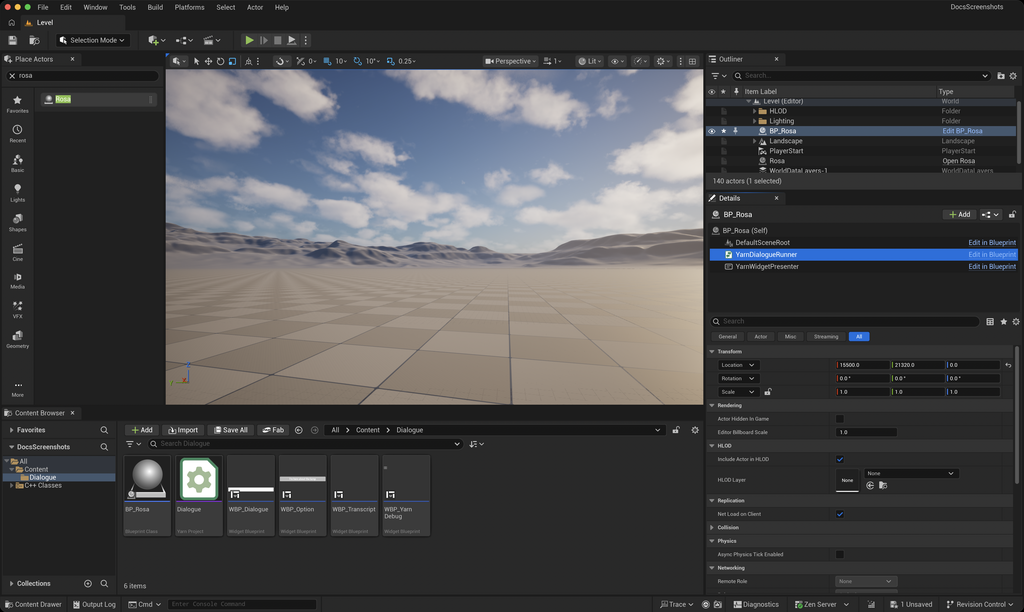
You write dialogue in .yarn files, in the same Yarn language used by every version of Yarn Spinner. Unreal compiles them when it imports them, as part of a Yarn Project. On an Actor in your Level, a Dialogue Runner plays the dialogue, and Presenters put it on screen: lines of text, options for the player to choose from, voice-over, or anything else you build. Commands and Functions connect your Yarn Scripts to your Blueprints and C++ code, so a line of dialogue can move a character, and your game can decide which options appear.
What you need

- If you need to use an earlier version of Unreal Engine, contact us.
- The Yarn Spinner for Unreal Engine plugin. Installation explains how to get it and add it to your project.
ysc, the Yarn Spinner compiler, which needs the .NET SDK. Installation covers this too.
Where to start
If you’re new to Yarn Spinner, start with Installation, below. Then read Understanding Yarn Spinner, Setting Up Your Unreal Project and Showing Dialogue in order.
If you’ve used Yarn Spinner with another engine, you already know the basics. Showing Dialogue and Connecting to Your Game cover how they work in Unreal.
- Installation: get the plugin and the compiler, and turn the plugin on.
- Understanding Yarn Spinner: what Yarn does, and how the pieces of Yarn Spinner for Unreal Engine fit together.
- Setting Up Your Unreal Project: importing your Yarn Project and Yarn Scripts, and the editor tools.
- Showing Dialogue: the Dialogue Runner, the built-in Presenters, and building your own.
- Connecting to Your Game: Commands, Functions, variables, saliency and cancellation.
- Localisation and Assets: translating your dialogue, and finding the assets that go with each line.
There’s no sample project for Unreal yet. One is coming during the pre-release period.