
Yarn Spinner for Godot (GDScript) is free and open source. Yarn Spinner+ for Godot (GDScript) is the paid version. It comes with add-ons, which are ready-made dialogue systems you can add to your game and restyle.
What’s included
Yarn Spinner+ for Godot (GDScript) includes two add-ons:
- Classic RPG: a dialogue box in the style of old-school RPGs, with a typewriter you can speed up and pause, a skip button, item icons, and a choice of box styles.
- Snaaake: a two-character radio conversation in the style of classic action games, with talking heads, voice-over and subtitles.
Each add-on is a Godot addon folder that works with the free Yarn Spinner for Godot (GDScript), and comes with a sample scene.
Getting Yarn Spinner+
Buy Yarn Spinner+ for Godot (GDScript) from our itch.io store. It’ll be on the Godot Asset Store too, as soon as the store allows paid assets. See Installation for how to add it to your project.
Installing an add-on
Each add-on needs Yarn Spinner for Godot (GDScript) and Godot 4.6 or later. They come in the same download as Yarn Spinner+. To install one:
- Copy the add-on’s folder, like
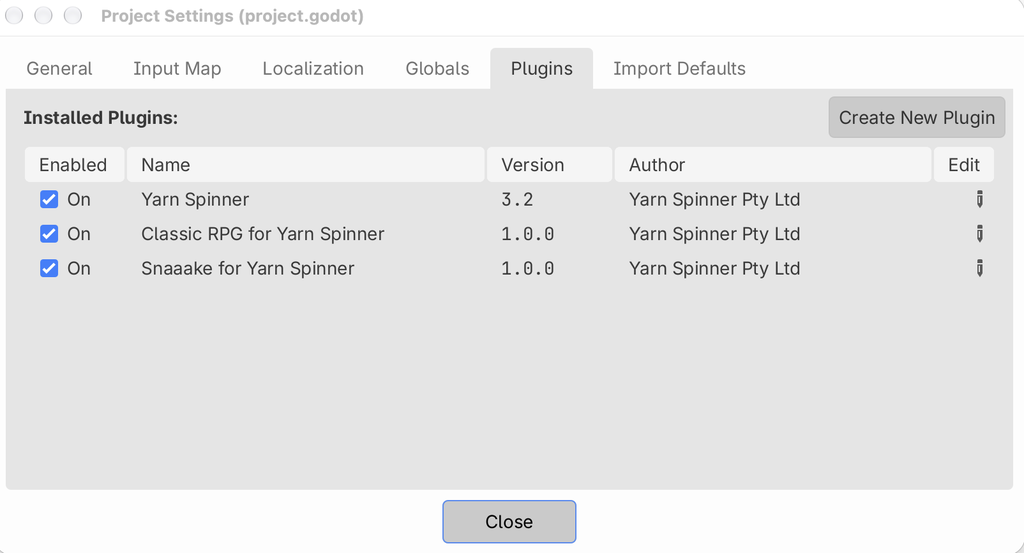
yarn_spinner_classic_rpg, into your project’saddonsfolder, next toyarn_spinner. - Make sure the Yarn Spinner plugin is turned on in .
- Optionally, turn on the add-on’s own plugin there too. It doesn’t add anything you need, but it warns you if the Yarn Spinner plugin is off.
In this section
- Classic RPG: setting it up, the hashtags and Commands it supports, and restyling it.
- Snaaake: setting it up, adding characters, and putting them in slots.