
When the dialogue reaches a node group or a line group, the Dialogue Runner asks its saliency strategy to pick one candidate. Saliency and Storylets covers the strategies that come with the addon. If none of them pick the way you want, you can write your own.
What a strategy does
A saliency strategy is a script that extends YarnSaliencyStrategy. It has two methods:
select_candidate(candidates, context)is given every candidate, including the ones that don’t pass, and returns the index of the one to run. It returns-1if nothing should run.on_candidate_selected(candidate, context)is called after a candidate has been picked, before it runs.
sequenceDiagram
  participant Runner as Dialogue Runner
  participant Strategy as Your strategy
  Runner->>Strategy: select_candidate(candidates, context)
  Strategy-->>Runner: the index of the one to run, or -1
  Runner->>Strategy: on_candidate_selected(candidate, context)
  Note over Runner: The picked candidate runs
Each candidate is a Dictionary, with the keys described in Looking at a node group from GDScript. context is a Dictionary too. Its variable_storage is the Dialogue Runner’s Variable Storage, and its vm is the virtual machine running the dialogue. Use vm.get_header_value() to read a node’s headers, and vm.program to read the compiled program, like a line’s tags.
An example
This strategy picks at random, but never picks the same candidate twice in a row:
class_name NoRepeatSaliencyStrategy
extends YarnSaliencyStrategy
## Picks at random, but never the same one twice in a row.

var _last_picked := ""


func select_candidate(
		candidates: Array[Dictionary],
		_context: Dictionary) -> int:
	var valid := valid_candidate_indices(candidates)
	if valid.is_empty():
		return -1

	var choices := PackedInt32Array()
	for index in valid:
		if candidates[index].content_id != _last_picked:
			choices.append(index)
	if choices.is_empty():
		choices = valid

	return choices[randi_range(0, choices.size() - 1)]


func on_candidate_selected(
		candidate: Dictionary,
		_context: Dictionary) -> void:
_last_picked = candidate.content_idclass_name so you can create it anywhere with NoRepeatSaliencyStrategy.new().-1 to run nothing. This strategy doesn’t need context, so it starts with _.valid_candidate_indices() returns the indexes of the candidates that pass. If there are none, nothing runs.Code that only checks whether anything can run, such as has_any_content(), calls select_candidate() too, and nothing runs afterwards. Don’t change any state in select_candidate(). Make changes in on_candidate_selected(), which is only called when a candidate is about to run.
YarnSaliencyStrategy has helper methods for strategies, including:
valid_candidate_indices(candidates)returns the indexes of the candidates that pass.get_view_count(context, content_id)returns how many times a candidate has been seen.increment_view_count(context, candidate)adds 1 to a candidate’s count. Call it fromon_candidate_selected()if your strategy uses view counts.
The same strategy is used for node groups and line groups. Use content_type if it needs to treat them differently.
Using your strategy
In the Inspector, under Advanced, set the Dialogue Runner’s Saliency Strategy to Custom. This shows anyone looking at the scene that the strategy is set from code.
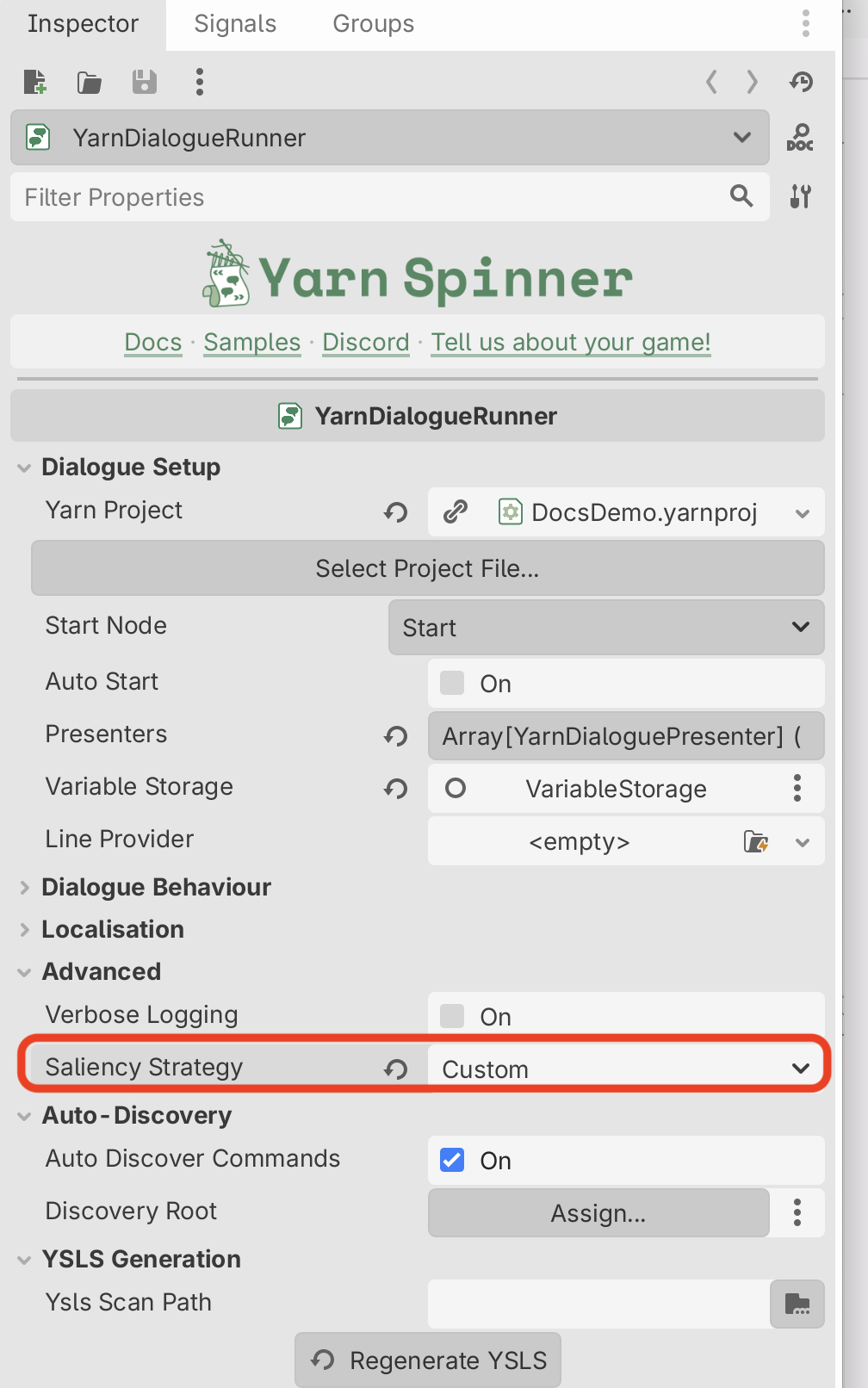
In code, give the Dialogue Runner your strategy with set_content_saliency_strategy():
func _ready():
	var strategy := NoRepeatSaliencyStrategy.new()
dialogue_runner.set_content_saliency_strategy(strategy)If Saliency Strategy is Custom but you never call set_content_saliency_strategy(), the Dialogue Runner uses Random Best Least Recent. If you call it while Saliency Strategy is set to something else, your strategy replaces it, and Saliency Strategy changes to Custom while the game runs.
You can call set_content_saliency_strategy() before or after the Dialogue Runner is ready. If you call it before, the Dialogue Runner keeps your strategy and starts using it when it’s ready.
The demo scene
This scene gives the Dialogue Runner NoRepeatSaliencyStrategy. Every time the player talks to Rosa, she says one of four lines, and all four can always run. The panel in the top left lists them, with how many times each has been picked. The one picked last is grey, because the strategy leaves it out next time. Under the table is the order they were picked in, and no number ever comes twice in a row.
title: CustomSaliencyDemo
---
-> Talk to Rosa
    <<detour RosaSmallTalk>>
<<jump CustomSaliencyDemo>>
===

title: RosaSmallTalk
when: always
---
Rosa: Lovely weather today.
===

title: RosaSmallTalk
when: always
---
Rosa: Have you tried the soup?
===

title: RosaSmallTalk
when: always
---
Rosa: The lamp's been flickering again.
===

title: RosaSmallTalk
when: always
---
Rosa: I hear the bridge is out.
===extends Node2D
const GROUP := "RosaSmallTalk"
@export var dialogue_runner: YarnDialogueRunner
@export var candidates_label: RichTextLabel
@export var strategy_label: Label
var _history: Array[String] = []
func _ready():
# This node is the Dialogue Runner's parent, so the Dialogue
# Runner is ready by now.
var strategy := NoRepeatSaliencyStrategy.new()
dialogue_runner.set_content_saliency_strategy(strategy)
strategy_label.text = "Strategy: NoRepeatSaliencyStrategy"
dialogue_runner.node_started.connect(_on_node_started)
dialogue_runner.start_dialogue("CustomSaliencyDemo")
_show_candidates()
func _on_node_started(node_name: String) -> void:
# Each node in the group has a name like RosaSmallTalk.3f48077d.
if node_name.begins_with(GROUP + "."):
_history.append(node_name)
_show_candidates()
func _show_candidates() -> void:
var program := dialogue_runner.yarn_project.get_program()
var candidates := dialogue_runner \
.get_saliency_options_for_node_group(GROUP)
var last: String = _history.back() if _history else ""
var text := "[b]Node group: %s[/b]\n[table=3]" % GROUP
for heading in ["", "Picked", "Line"]:
text += _cell(heading, "#99aaaa")
var ids: Array[String] = []
for candidate in candidates:
var id: String = candidate.content_id
ids.append(id)
var line_id := program.get_line_ids_for_node(id)[0]
var line := program.get_string(line_id)
# The strategy leaves out the one picked last time.
var colour := "#777777" if id == last else "#ffffff"
text += _cell(str(ids.size()), colour)
text += _cell(str(_history.count(id)), colour)
text += _cell(line.trim_prefix("Rosa: "), colour)
text += "[/table]"
var order := PackedStringArray()
for id in _history.slice(-12):
order.append(str(ids.find(id) + 1))
text += "\n[color=#99aaaa]Order picked:[/color] "
text += ", ".join(order)
text += "\n[color=#777777]Grey: left out next time[/color]"
candidates_label.text = text
func _cell(value: String, colour: String) -> String:
var cell := "[cell][color=%s]%s [/color][/cell]"
return cell % [colour, value]Another example
The Custom Saliency sample has a strategy that picks at random, but makes some candidates more likely than others. Each node gets a weight header, and each line in a line group gets a #weight tag.