
Yarn Spinner for Godot (GDScript) lets you write your game’s dialogue in Yarn and run it in Godot. The addon is written in GDScript and runs in the standard build of Godot, so your game doesn’t need C# or .NET.
You write dialogue in .yarn files, in the same Yarn language used by every version of Yarn Spinner. Godot compiles them when it imports them. In your scene, a Dialogue Runner plays the dialogue, and Presenters put it on screen: lines of text, options for the player to choose from, voice-over, or anything else you build. Commands and Functions connect your Yarn Scripts to your game code, so a line of dialogue can move a character, and your game can decide which options appear.
What you need
- Godot 4.6 or later, the standard build. The .NET build isn’t supported. If you’re using the .NET build, or want to write your game in C#, use Yarn Spinner for Godot (C#).
- The Yarn Spinner for Godot (GDScript) addon. Installation explains how to get it and add it to your project.
Where to start
If you’re new to Yarn Spinner, start with Installation, below. Then read Setting Up Your Godot Project and Showing Dialogue in order. Together they take you from an empty project to a conversation running in your game.
If you’ve used Yarn Spinner with another engine, you already know the basics. Showing Dialogue and Connecting to Your Game cover how they work in Godot.
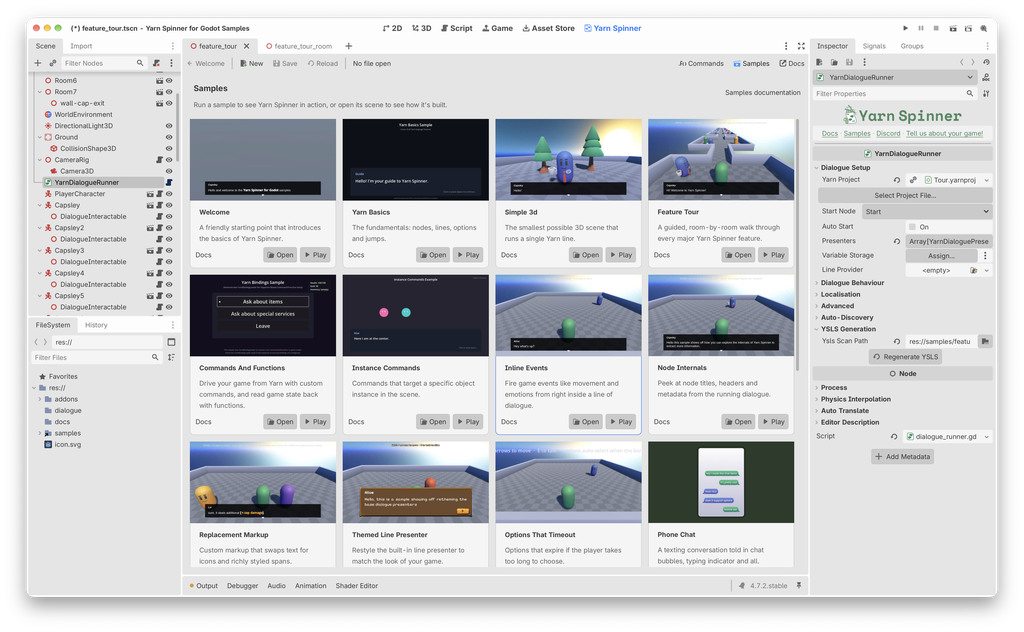
The samples show most features working in real scenes.
Get more with Yarn Spinner+
Yarn Spinner+ for Godot (GDScript) comes with two ready-made dialogue systems you can add to your game:
- Classic RPG, a dialogue box in the style of old-school RPGs
- Snaaake, a radio conversation in the style of classic action games