Yarn Spinner 3.3 is out now!
This release is about how your code and your Yarn scripts work together. Commands and functions can now take as long as they need, stop early when the player skips, and work directly with your game’s own types, like a tool or an item, instead of only numbers, strings and true or false. We’re proud of all of our releases, but this one’s got us really excited.

 Yarn Spinner+
Everything in Yarn Spinner for Unity or Godot (GDScript), and these samples.
 Classic RPG
 Snaaake
Everything below works in both Unity and Godot (GDScript).
Async Functions#
In Yarn Spinner, you can create functions that let your scripts get information from your game. Starting in Yarn Spinner 3.3, functions are allowed to be asynchronous. This means that they’re allowed to take as long as they need to to get a value back to the script. This makes them ideal for situations when you need to ask the player something.
Say your game has an inventory screen, and you want a character to ask the player to hand something over. The code below adds a Yarn function called pick_inventory_item. When a Yarn script calls it, it opens the inventory, waits for as long as the player takes to choose something, and then gives the name of the chosen item back to the script.
Here’s the code:
[YarnFunction("pick_inventory_item")]
public static async YarnTask<string> PickInventoryItem() {
    MyInventoryItem pickedItem = await MyGameSystems.ShowPickItemUI();

    return pickedItem.Name;
}pick_inventory_item’. The function is async, and the return type is YarnTask<string>. This means that it’ll eventually return a string.async functions are allowed to await other code. In this example, we’ll ask some other system in the game to show the on-screen UI that lets the player choose an item from their inventory.In Godot, a function that uses await works the same way:
func _ready():
	dialogue_runner.add_function("pick_inventory_item", _pick_inventory_item)


func _pick_inventory_item() -> String:
	var picked_item = await inventory_menu.item_chosen
return picked_item.namepick_inventory_item’ to the Dialogue Runner.await to wait for the player to choose an item from the inventory menu. Its return type, String, tells Yarn Spinner what it’ll eventually return.We can then use this in our Yarn Spinner scripts. Here, the NPC asks for a quest item, the dialogue waits while the player picks something from their inventory, and the NPC reacts to whatever they chose:
NPC: Hey, do you have that quest item for me?

<<set $selected_item = pick_inventory_item()>>

<<if $selected_item == $needed_item>>
    NPC: Thanks!
<<else>>
    NPC: That's not it!
<<endif>>pick_inventory_item function, Yarn Spinner will pause and wait for the function to finish. Whatever the player picked is stored in $selected_item.Cancellable Commands and Functions#
Sometimes, you need to wrap up a command. Maybe the player’s spamming the A button and wants to skip past the cutscene, or maybe something’s happened and you need to end the animation right away. Starting in Yarn Spinner 3.3, you can make your commands cancellable. Your command can check whether it needs to wrap things up sooner than expected, and even tell the difference between the player simply wanting you to hurry up, and needing you to cancel right now.
Here’s an example of how you can use cancellable functions to make a command that walks a character over to a destination, but if the player signals to Yarn Spinner that they want to skip, they’ll immediately jump to the target position.
A writer can use walk_to_point to send the main character over to something in the scene, like a door.
In Unity, make the last parameter of your command a CancellationToken, and check its state. If you make it a LineCancellationToken, you can tell whether the player wants you to hurry up, or to cancel right now:
[YarnCommand("walk_to_point")]
public static async YarnTask WalkToPoint(Transform destination, CancellationToken cancellation) {

    var character = MyGame.GetMainCharacter();

    while (cancellation.IsCancellationRequested == false) {
        character.MoveCloserTo(destination);

        if (character.IsCloseTo(destination)) {
            break;
        }

        await YarnTask.Yield();
    }

    character.SetPositionTo(destination);
}CancellationToken, Yarn Spinner knows that it can be cancelled.In Godot, make the last parameter a YarnCancellationToken. It tells you whether the player wants you to hurry up (is_hurry_up_requested), or to move on right now (is_next_content_requested):
func _ready():
	dialogue_runner.add_command("walk_to_point", _walk_to_point)


func _walk_to_point(destination: Node2D, token: YarnCancellationToken) -> void:
	while not token.is_next_content_requested:
		character.position = character.position.move_toward(destination.position, 4.0)
		if character.position == destination.position:
			break
		await get_tree().process_frame
character.position = destination.positionYarnCancellationToken, the Dialogue Runner passes one in. It isn’t written in the Yarn script.In a Yarn script, the writer just names the destination:
Guide: Follow me, it's this way.
<<walk_to_point FrontDoor>>
Guide: Here we are!FrontDoor, and the dialogue waits until they get there. If the player skips, they arrive straight away and the next line shows.pick_inventory_item above, can stop cleanly if the dialogue is stopped.Custom Objects in Parameters#
Commands and functions used to be limited to Yarn Spinner’s built-in types: numbers, booleans, and strings. Starting in Yarn Spinner 3.3, you can now create custom converter functions that know how to translate a Yarn Spinner value into a custom object, which means that your commands and functions can work with your game’s data types. You write the lookup once, instead of in every command.
Say your game has tools, like a shovel or a pickaxe, and each one wears out as it’s used. The code below teaches Yarn Spinner how to turn a word in a Yarn script, like shovel, into the matching tool from your game. It then adds a dig command that uses up some of a tool’s durability, and a durability_for function that tells the script how much is left.
public class Tool {
  public string Name { get; set; }
  public int Durability { get; set; }
}

public class MyGameUtilities {
    [YarnConverter(typeof(Tool))]
    public static bool TryGetTool(string input, out Tool value)
    {
        value = MyGame.GetToolByName(input);
        return value != null;
    }
}

[YarnCommand("dig")]
public static void Dig(Tool tool)
{
    Debug.Log($"I am digging a hole with {tool.Name}!");
    tool.Durability--;
}

[YarnFunction("durability_for")]
public static int GetToolDurability(Tool tool)
{
    return tool.Durability;
}YarnConverter marks this method as something that can be used to convert from a string to the specified data type. It returns a boolean indicating whether the conversion succeeded, and outputs the converted value.YarnConverter will just work as parameter in a command.In Godot, add a static method named _yarn_converter_ followed by your type’s class_name, and the Dialogue Runner finds it by itself:
class_name Tool
extends RefCounted

var tool_name := ""
var durability := 3


static func _yarn_converter_Tool(input: String) -> Tool:
	return MyGame.get_tool_by_name(input)


static func _yarn_command_dig(tool: Tool) -> void:
	print("I am digging a hole with %s!" % tool.tool_name)
	tool.durability -= 1


static func _yarn_function_durability_for(tool: Tool) -> int:
return tool.durabilityTool, or null if there isn’t one with that name.yarn_command become commands, so this is the dig command.yarn_function become functions, so this is durability_for.Here, the character digs with the shovel, then says how much use the shovel has left:
<<dig shovel>>
Character: Whew! My shovel has {durability_for("shovel")} durability left!New Sample#
We’ve added a new sample that demonstrates how to use custom functions and commands in your scripts, and how they can work using our new async features!
To install it in Unity, grab the Yarn Spinner samples package from inside the Unity editor! It’s in the Yarn Spinner for Godot (GDScript) samples too.
Yarn Spinner+ for Godot (GDScript)#
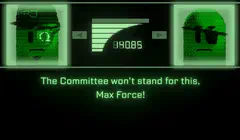
We’ve also launched Yarn Spinner+ for Godot (GDScript)! This adds our Yarn Spinner+ samples that were previously only available for Unity. This includes our Snaaake Presenter, as well as our Classic RPG Presenter seen below. Grab them on itch.io!
Yarn Spinner+ for Godot (GDScript)Everything in Yarn Spinner for Godot (GDScript), and these samples.

And More!#
Yarn Spinner 3.3 is full of large and small improvements. Check out the changelogs for the full details!
Need a hand with your game?#
The people who make Yarn Spinner are also available to help make your game. If you’ve got a smaller project, Mates’ Rates gets you a whole month of the Yarn Spinner team working on your game alongside you, for a flat US$5,000. There are only a few places, so apply early!
Making something?
We love seeing what people make with Yarn Spinner, big or small, shipped or in progress. Tell us about your game and we might feature it here.
Tell us about itWork with us
Studios and organisations bring us in to build games, features, and tools. We have capacity for new projects in 2026 and 2027.
Hire UsHeader image: Yarn Spinner 3.3 by Jon Manning. Includes content from "Escher Relativity" by Benoit Gagnier, licensed under Creative Commons Attribution 4.0. Inspired by "Relativity" by M.C. Escher.
Unless otherwise noted, the content of this post is licensed under Creative Commons Attribution-NonCommercial-ShareAlike 4.0 International (CC BY-NC-SA 4.0). Logos, screenshots, and artwork shown in this post remain the property of their respective owners and are not covered by this license. The Yarn Spinner logo and branding imagery are also not covered by this license.